
Website FAQs Generator
Websites don't just need keywords anymore—they need answers. Discover high-intent customer search questions, uncover missing content gaps, and generate evidence-based FAQs that drive real search traffic and qualified leads.
Search Engines & AI Now Rank Answers, Not Just Keywords
Google, Perplexity, and ChatGPT have evolved from string matching into answer engines. If your product or service pages don't directly answer what buyers are asking, search engines skip your site and recommend your competitors.
More Organic Search & AI Traffic
Capture high-intent long-tail searches mined straight from real Google Autocomplete queries. Feed Google AI Overviews and ChatGPT the clear Q&A structure they need to cite your business as the authoritative recommendation.
Higher Lead & Sales Conversions
Over 95% of website visitors bounce because of unanswered questions regarding pricing, warranties, turnaround times, or process. Answering these objections directly on your page converts hesitant visitors into paying customers.
2+ Hours Saved Per Page
Eliminate the frustration of brainstorming questions, researching factual answers, and hand-coding JSON-LD schema. Go from a raw page URL to copy-paste publishable FAQs and WordPress draft posts in under 60 seconds.
Why Traditional SEO Pages Are Losing Traffic
Today's buyers don't search with single keywords—they search with complete questions. Here is how adding an evidence-based FAQ section transforms your landing pages:
- Invisible to AI Overviews: AI engines skip pages with dense, unformatted blocks of promotional text.
- Unanswered Buyer Objections: Prospects leave to find competitor websites that clearly state pricing and turnaround times.
- Zero FAQ Schema Markup: Misses out on structured rich data signals that help search engines understand entity relationships.
- Time-Consuming Manual Work: Writing 10 high-quality Q&As takes hours of research, proofreading, and technical coding.
- Built for Generative AI & Google: Structured Q&A pairs make your website machine-readable and easy for LLMs to cite.
- Uncovers Silent Content Gaps: Identifies crucial buyer questions your current page is missing before competitors capitalize.
- Both Short & Detailed Answers: Delivers concise answers for schema and detailed versions for your blog/WordPress in one run.
- 1-Click Multi-Format Export: Clean HTML, plain text, Schema.org JSON-LD, and WordPress WXR XML draft posts created automatically.
Powerful Features Built Into Every FAQ Scan
Designed specifically for service businesses, agencies, and e-commerce stores looking for reliable, publishable content.
Live Google Autocomplete Intent
Pulls actual search phrasing suggestions directly from Google's autocomplete index so you answer what real prospective customers are typing.
Automated Content Gap Detection
Crawls your existing text to determine what is already covered, highlighting missing buyer information like pricing tiers, timelines, and guarantees.
Evidence-Based Research
Rather than making up generic claims, the engine synthesizes answers from your page and industry sources, providing clickable citation links for verification.
Schema.org FAQPage JSON-LD
Includes valid structured data syntax ready to drop into your header or CMS, helping search bots map your questions and answers with zero errors.
WordPress WXR 1-Click Import
Download an official WordPress XML import file that creates draft FAQ blog posts in your admin dashboard with zero plugins or API keys required.
Geographic & Location Review
Automatically spots and flags city or state mentions not found on your page, preventing local businesses from publishing misleading service area claims.
4 Simple Steps to Publishable FAQs
A guided workflow that keeps you in complete control from search intent to final exports.
Step 1: Input Page
Enter your page URL. We crawl your content, pull live Google Autocomplete suggestions, and detect content gaps.
Step 2: Choose Questions
Review suggested questions. Pick the questions worth answering before locking in your research selection.
Step 3: Review & Edit
Our AI drafts both short and detailed answers. Review facts, edit text, or regenerate individual answers.
Step 4: Final Results
View finalized FAQs and 1-click exports: Clean HTML, Plain Text, Schema.org JSON-LD, and WordPress XML.
Everything Included in Your FAQ Report
Every scan produces complete, verified, multi-format assets engineered for both search engine rankings and AI discoverability. Here is what is generated for your page:
10–20 Real Search-Intent Questions
High-intent customer questions mined from real Google Autocomplete queries and automated content gap analysis, categorized by customer objections, pricing, and process.
Both Short & Detailed Answers
No need to choose: get punchy 40–60 word short answers for mobile visitors and Google snippets, plus in-depth 150+ word detailed answers for long-form readers.
Fact-Checked Verification Badges
Every answer cites facts from your page or research sources with verification confidence labels (Verified from Website or Needs Input), eliminating AI hallucinations.
Plain & Styled Semantic HTML
1-click toggle between unstyled plain HTML with <h3> and <p> tags or styled cards, ready to paste into any CMS or web platform.
Schema.org FAQPage JSON-LD
Pre-validated structured data snippet to feed search engines and LLMs like ChatGPT and Perplexity the exact entity mapping they need to cite your business.
WordPress WXR XML Import File
A 1-click importable .xml file that instantly generates individual draft blog posts categorized under "FAQs" in your WordPress admin with zero plugins or API keys.
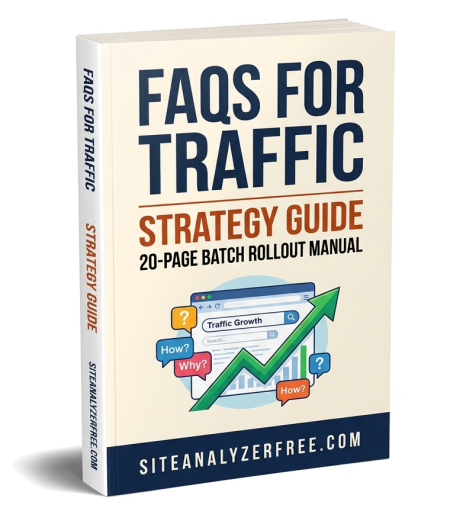
FAQs for Traffic
A powerful FAQ strategy isn't about burying 20 questions behind an accordion on your footer where search engines ignore them. This included bonus guide reveals the proven 20-Page Rollout Methodology:
-
One FAQ Per Page: Create dedicated posts or pages with the question as the
<H1>and post title, followed immediately by the direct answer. - The 20-Page Rollout Rule: Publish 20 at a time (easily done with our 1-click WordPress XML export). Expect 2–3 to gain immediate traction in Google Search Console and Analytics.
- Expand the Winners: Add in-depth answers, internal links, and media to the pages getting traction, then publish your next batch of 20 to compound rankings.
Want to See What You Get First?
Explore a complete live sample with 20 publishable FAQs created for Service Area Maps, including live HTML preview, JSON-LD schema, and WordPress XML preview.
Frequently Asked Questions About This Tool
Everything you need to know about generating, publishing, and optimizing FAQs.