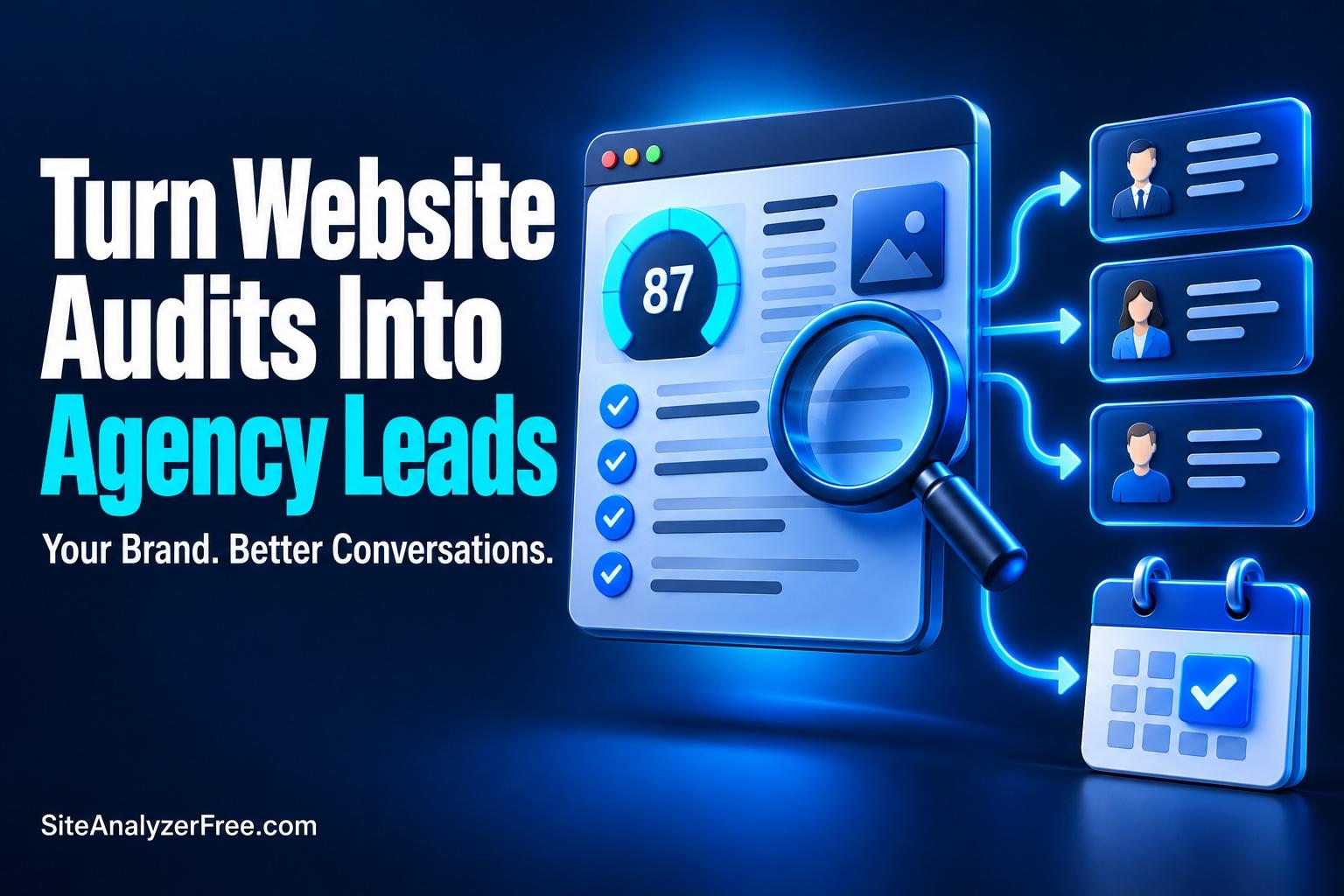
How a White Label Website Audit Tool Helps Agencies Attract Better Leads
TL;DR: A white label website audit tool gives agencies a useful way to attract business owners who want to improve their websites. SiteAnalyzerFree’s $25 starter bundle includes branded software and 300 scan credits, with optional verified email capture and report placements for your service offers.
Turn Website Audits Into Agency Leads With a $25 White Label Tool
Key Takeaways:
- A white label website audit tool gives potential clients a useful reason to engage with your agency.
- SiteAnalyzerFree’s $25 starter bundle includes the white-label software and 300 scan credits, with no recurring subscription.
- Optional verified email capture, branded reports, and agency calls to action help connect website findings with your services.
- Your targeting, promotion, and follow-up determine whether those scans become qualified sales conversations.
Your next client may already suspect their website needs work. They might be getting too few inquiries, struggling with search visibility, or wondering whether an outdated site is driving visitors away. What they often lack is a clear explanation of the problem and a sensible place to start.
That uncertainty creates an opportunity for agencies. A white label website audit tool lets you offer something useful before asking for a sales call: a closer look at the prospect’s own website, presented under your brand.
SiteAnalyzerFree makes that approach accessible with a $25 starter bundle containing its white-label software and 300 scan credits. Here’s how to turn that modest investment into a focused lead-generation process.
Table of Contents
- What Is a White Label Website Audit Tool?
- Why Website Audits Attract Relevant Prospects
- What the $25 Starter Bundle Includes
- How to Build a Focused Lead Generation Process
- Turn Audit Reports Into Useful Sales Conversations
- Measure the Results That Matter
What is a White Label Website Audit Tool?
A white label website audit tool allows you to offer website analysis under your own agency’s identity. Visitors interact with your branding, receive findings on your domain, and see your service offers alongside the results.
With SiteAnalyzerFree’s package, you host the supplied front end on your domain or subdomain while its cloud API performs the diagnostic checks. You can customize your logo, favicon, colors, homepage copy, footer links, and report promotions. The public site and reports contain no SiteAnalyzerFree branding or backlinks.
For agencies comparing website audit white label options, that ownership of the customer experience matters. The report becomes part of your introduction to the prospect, with a clear path to getting help from your team.
Why Website Audits Attract Relevant Prospects
A generic “contact us” form asks visitors to begin a sales conversation before they know what help they need. An audit offers a smaller, more concrete first step: enter a website address and learn something about it.
Someone who requests that information is showing interest in their website’s performance. That gives your agency useful context for a conversation, although it does not automatically establish their budget, authority, or readiness to buy.
The strongest fit comes from matching the offer to your services. An SEO agency can promote an initial website health check. A web designer can help business owners investigate whether their existing websites need attention. A maintenance provider can use findings to discuss ongoing technical care.
A white label SEO audit tool can therefore support a more relevant introduction: “Here’s what we found on your website, and here’s what we suggest reviewing first.”
What the $25 Starter Bundle Includes
The SiteAnalyzerFree white-label starter bundle costs $25 and includes 300 scan credits (300 website scans). The software is included free with that initial credit purchase. Each full scan uses one credit.
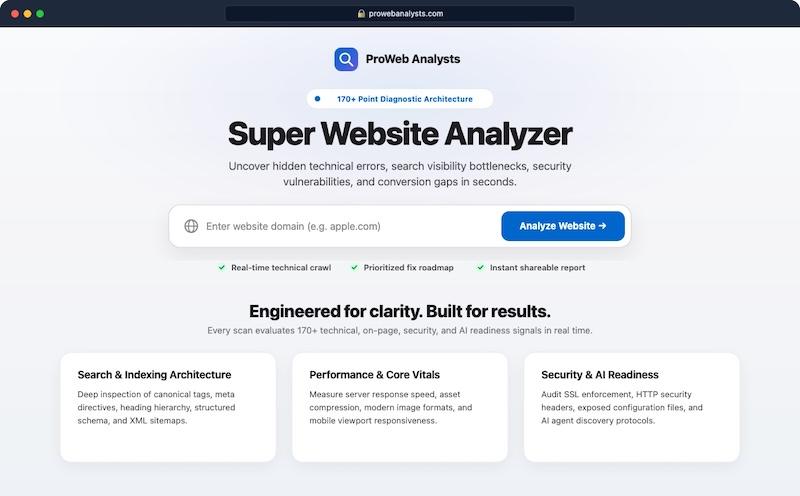
There is no recurring subscription, and the credits do not expire. Additional scans require credit top-ups, so the initial payment should not be confused with unlimited scanning. You get an email when you’re low on credits and the dashboard lists credits as well.
- 177+ diagnostic checks: The cloud engine handles scanning and diagnostic check updates.
- Optional verified email gate: Visitors see their overall score, then enter and confirm an email address to unlock the full findings when the gate is enabled.
- Lead management: Captured email addresses are available in the Control Hub and can be exported to CSV.
- Two report promotion slots: Add service offers or booking links below the score summary and at the bottom of each report.
- Shareable, print-ready/PDF reports: Reports use clean URLs and include a Print Report button with automatic page breaks.
- Included software updates: A built-in updater is available through the Control Hub.
Setup requires a PHP 8.0+ web host. The software uses SQLite, which means no MySQL database is needed for the setup. You upload the files, configure your admin access, enter your API key, and customize the site. Allow for your own hosting, setup time, and promotional costs when planning your budget.
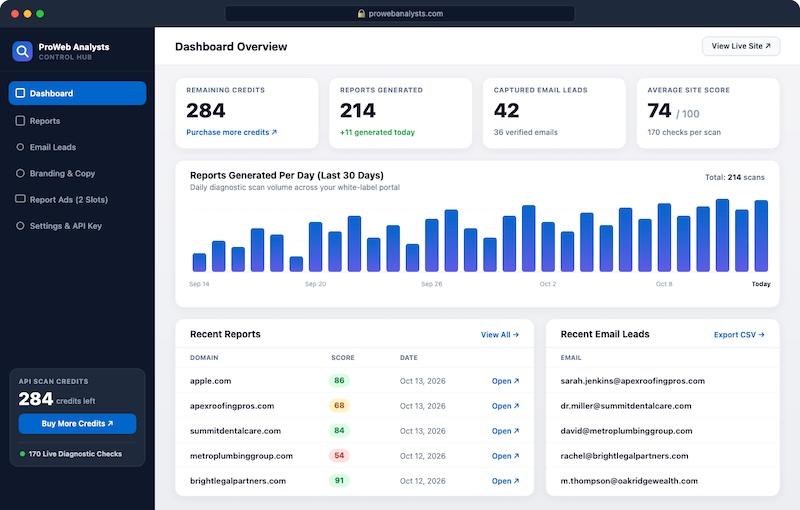
You’re up and running in about 60 seconds, which puts you in the admin settings, branding your site and selecting a few options. You even get free software updates for life.
How to Build a Focused Lead Generation Process
1. Choose the businesses you want to serve
Start with a specific audience. “Independent dental practices needing better website inquiries” gives you a clearer message than “anyone with a website.” Your audience should influence the landing page copy, where you promote the tool, and the service you offer after the scan.
The software provides the audit experience. Your positioning helps attract the kinds of businesses your agency wants to work with.
2. Explain the benefit in the customer’s language
Business owners may not be looking for a technical diagnostic scanner. They want to understand why their websites are underperforming and what deserves attention.
Try a promise such as: “Find website issues worth reviewing before you spend more on marketing.” Keep the message focused on understanding and prioritization. Avoid suggesting that a scan can prove exactly how much revenue a website is losing.
3. Put the tool where relevant prospects will find it
Add the audit offer to relevant service pages, educational articles, and agency campaigns. For example, an article about preparing a website for paid advertising can invite readers to run an initial check before launching their next campaign.
People searching for “website audit tools free” may be willing to try a useful check without booking a consultation. Offering that first step can introduce them to your agency while their website questions are still forming.
4. Give visitors a clear next step
Use the report placements to offer a relevant action, such as “Book a website findings review” or “Ask us about fixing your priority issues.” Explain what the visitor will get from that conversation.
If you enable the verified email gate, make the exchange clear before visitors submit their information. Explain how you will use their email address and distinguish report access from any optional marketing subscription.
Turn Audit Reports Into Useful Sales Conversations
A white label website grader can open the door, but your interpretation makes the findings useful. Review the report before recommending work. Confirm relevant issues, explain their practical significance, and separate urgent fixes from improvements that can wait.
For example, if a report flags metadata issues, explain what the affected titles or descriptions communicate and what you would review. Avoid claiming that correcting them guarantees rankings. If several findings suggest broader website problems, investigate further before recommending a complete rebuild.
When a prospect requests a website audit report PDF, the print-ready report provides a practical starting point: use the Print Report function and select the browser’s PDF-saving option where available. Add your recommendations in a separate proposal so the client can distinguish automated findings from your professional assessment.
From there, propose work that fits the actual need. That might be a focused repair project, a deeper SEO engagement, conversion improvements, or ongoing maintenance. A clear explanation of scope gives the prospect something concrete to evaluate.
Measure the Results That Matter
Track more than the number of scans. Measure how many visitors complete an audit, verify their email, book a conversation, qualify for your services, and become paying clients. Those steps reveal whether your offer attracts the audience you intended.
At $25 for the starter bundle, the entry cost is very modest. A single suitable project could comfortably exceed that purchase price, but your real acquisition cost also includes promotion, hosting, and follow-up time. The approximately 8.3-cent figure is a scan cost, not a guaranteed cost per qualified lead.
Start with one audience, one useful audit offer, and one clear follow-up service. Review the results and improve the weakest step before expanding your campaigns.
If your agency needs a practical reason for prospective clients to engage, explore SiteAnalyzerFree’s white label website audit tool. For $25, you can launch a branded audit experience with 300 scans and begin testing an offer built around the website problems your agency knows how to solve.